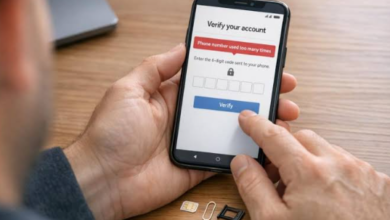


The internet gives people quick access to information, services, communication tools, and personal accounts. In most cases, reaching an online platform takes only a few seconds. Yet the simplicity of opening a website can sometimes make users overlook an important question: are they visiting the correct destination?
Website addresses can look similar, and links may be shared through many different channels. A user might encounter an address through a search engine, social media post, email, message, or another website. Not every address presented through these channels should automatically be considered reliable.
Developing a few practical checking habits can make website access more straightforward and reduce the likelihood of visiting an incorrect or deceptive destination.
Start by Confirming the Website Address
The website address is the first detail worth checking. Before entering personal information, users should make sure the domain matches the service they intend to visit.
A familiar website normally has a consistent address. If the address suddenly contains unusual spelling, unexpected characters, or additional terms, users should pause and investigate.
This is particularly important for pages that request usernames, passwords, contact information, or other private details. Taking a few seconds to verify the destination is generally easier than dealing with problems later.
Read the Address Carefully
It can be useful to examine the address from left to right. Look for:
- Correct spelling of the domain
- Expected domain extension
- Unusual numbers or symbols
- Unexpected words added to the address
- Redirects to unfamiliar websites
- Addresses that differ from previously verified ones
A professional-looking page does not necessarily mean that the website is the correct one. The address itself deserves attention.
Use Reliable Ways to Reach a Website
There are several ways to find an online platform, but some are more dependable than others. A previously confirmed bookmark is often convenient for returning users.
Official communications can also provide useful information about where a service can be accessed. If a company or organization has an established website and verified public channels, those sources can help users confirm the correct destination.
Search engines remain useful, but search results should be examined before being opened. The first result is not necessarily the official website.
Understanding HTTPS
A browser may display HTTPS when connecting to a website. This indicates that the connection uses encryption, helping protect information while it travels between the browser and server.
Users should still understand the limitation of this indicator. HTTPS does not prove that a website belongs to a particular company or organization. An incorrect website can also use an encrypted connection.
For that reason, HTTPS should be considered one part of a broader verification process rather than the only sign of trust.
See also: Gmail PVA Accounts: Uses, Benefits, Risks, and Responsible Account Management
Website Accessibility Can Vary
A website may look different depending on the device being used. Desktop computers generally provide a larger display, while smartphones and tablets use smaller screens and touch-based controls.
Responsive websites adjust their layouts to accommodate different screen sizes. Navigation menus may collapse, buttons can move, and content may be displayed vertically instead of horizontally.
These differences are normally expected. However, if important features disappear or pages fail to function, the issue could be related to browser compatibility, device settings, or the internet connection.
Keep Software Updated
Using an updated browser and operating system can improve both compatibility and security. Updates often address technical problems and support newer website technologies.
If a website does not behave correctly, users can try refreshing the page, restarting the browser, installing available updates, or testing another supported browser.
Handling Slow or Failed Connections
A website that does not open immediately is not necessarily unavailable. Network congestion, weak connectivity, server maintenance, or temporary technical problems can all affect access.
Users can begin with simple troubleshooting steps. Checking the internet connection and refreshing the page may resolve a temporary problem. Restarting the browser or device can also help.
If the issue continues, users should look for information through an official support channel rather than relying on random websites claiming to provide access information.
Protect Your Account Credentials
Safe website access also involves protecting the account after reaching the correct destination.
Passwords should not be shared with other people. A strong password should combine sufficient length with a combination of characters that makes it difficult to guess. More importantly, different services should ideally use different passwords.
If a website offers an additional verification method, enabling it can provide another security layer. This can be useful because a password alone may not always be enough to protect an account.
Users should also be cautious when saving passwords on shared computers.
Think Before Clicking Unexpected Links
Links can arrive through emails, text messages, social networks, advertisements, and other online services. Some may be useful, while others may lead somewhere completely different from what the message suggests.
Unexpected messages deserve additional attention, especially when they create pressure to act immediately.
Rather than clicking an unfamiliar link, users can independently open their browser and navigate to a previously verified website. This avoids relying on the destination supplied inside the message.
Signs That Deserve Extra Attention
Certain website behaviors should encourage users to slow down and verify the destination.
For example, a page may suddenly request information that does not seem necessary, redirect the browser several times, display excessive pop-ups, or show warnings that were not present during previous visits.
A redesigned website is not automatically suspicious. Organizations regularly update their websites. However, unexpected changes combined with an unfamiliar domain or unusual requests should be treated carefully.
Safe Access on Public Networks
Using public Wi-Fi can be convenient, but users should take additional care when accessing important accounts. Public networks may have different security characteristics from a trusted private connection.
Users should avoid entering highly sensitive information when they are uncertain about the network. When possible, they should use a trusted connection and make sure the device’s security settings are active.
After using an account on a shared device or public computer, signing out is an important final step.
If You Accidentally Visit the Wrong Website
Mistakes happen. Opening an unfamiliar website does not automatically mean that something has gone wrong.
The safest response is to avoid entering sensitive information and close the page if it appears suspicious. Users can then return through a verified website address.
If credentials were entered on a questionable page, users should access the genuine website independently and change the relevant password. They should also consider whether the same password was used on other services.
Keeping an eye on account activity can help identify unusual access or unexpected changes.
Creating a Simple Verification Routine
A short routine can make website checking easier. Before signing in, users can ask themselves four basic questions:
- Is this the address I expected?
- Does the domain appear correctly spelled?
- Did I reach the page through a trusted source?
- Is the website requesting information that makes sense?
If any answer raises doubts, it is reasonable to stop and verify the destination before continuing.
Conclusion
Reliable website access begins with awareness. Checking the address, confirming the domain, using trusted sources, and understanding basic browser security indicators can help users distinguish a familiar online destination from an uncertain one.
Accessibility may change depending on the device, browser, connection, or network, so technical difficulties should not immediately be interpreted as a change in website ownership or address. When problems occur, official communication channels remain a better source of information than unverified links.
Good browsing habits are simple but valuable. By checking website addresses carefully, protecting account credentials, keeping software updated, and treating unexpected links with caution, users can create a safer and more dependable online experience.