
Recognizing the role a USB Cable plays in charging performance can transform the way you understand your everyday tech routine. Many people focus solely on chargers or power banks when troubleshooting slow charging, forgetting that the cable in between is just as important. Because cables differ in build quality, specifications, and internal wiring, they directly influence how much power actually reaches a device. Small variations that seem insignificant at first can create noticeable speed differences during daily use. In this article, we’ll explore how cable design, materials, and maintenance affect charging efficiency and how to choose the right cable for dependable performance.
How Cable Quality Affects Charging Performance?
Wire Gauge and Electrical Resistance
The wire gauge inside a USB cable determines how easily electricity flows from the power source to your device. Thicker wires (lower gauge numbers) offer less resistance, allowing higher current to pass through with minimal loss. Thinner wires, often found in inexpensive or poorly built cables, restrict the current and slow down charging speed. Over time, resistance can increase even further if the cable undergoes bending or stretching. This makes understanding the internal structure of your cable essential for maintaining consistent and efficient charging.
Connector Quality and Contact Integrity
The connectors on each end of a cable are responsible for transferring power and data, and their condition affects the charging experience. High-quality connectors provide stable contact, which prevents interruptions and ensures smooth power delivery. Poorly made connectors may wobble, loosen, or fail to align correctly with the device’s port, reducing efficiency. Dust, debris, or slight misalignment can weaken the connection and slow down charging. Paying attention to connector stability and cleanliness helps keep your cable performing as expected.
Understanding USB Cable Specifications
Different cables support different charging standards, such as USB-A, USB-C, and fast-charging protocols like Power Delivery. These standards determine how much current and voltage the cable is designed to handle safely. A cable that lacks the proper specification can bottleneck even the most capable charger or device. Understanding these distinctions helps you avoid mismatched accessories that reduce performance. Knowing what your device supports makes selecting the right cable more straightforward, especially when shopping or upgrading for better efficiency, and this is why many people prefer reliable options when choosing something as simple as a USB cable.
Identifying Signs of a Problematic Cable
Visual Inspection for Physical Damage
Visible damage is often the first indication that your cable may be affecting charging speed. Frayed edges, bent connectors, exposed wiring, or discoloration near the plugs can signal internal wear that restricts current flow. These weaknesses may not completely stop the cable from functioning, but can create instability that slows charging over time. Even small cracks in the insulation can invite moisture, contributing to hidden corrosion. Regular visual checks help you detect early warning signs before they lead to performance loss.
Performance Testing Methods
Testing a cable’s performance can reveal whether it is delivering the power your device expects. You can compare charging speed by using another cable you trust, noting whether the device charges faster, slower, or at a consistent rate. If your phone or tablet takes significantly longer to reach full battery, the cable may be degrading internally. Some users also test with different power sources to isolate whether the cable or charger is the cause. Observing consistent patterns helps build confidence in your diagnosis and avoids unnecessary replacements.
See also: iPad Charger Buying Guide: Key Specs to Check
Choosing the Right Cable for Your Device
Matching Cable Specifications to Device Requirements
Selecting a cable that aligns with your device’s charging capabilities ensures you get the speed you’re expecting. Devices that support fast charging require cables built for higher current and voltage, and using an under-rated cable will hold them back. Checking your device’s specifications helps you understand whether you need a standard USB cable or one with enhanced power handling. This becomes especially important when using tablets or modern smartphones that consume more power. A well-matched cable helps maintain stable and efficient charging throughout daily use.
Certified Cables vs. Generic Alternatives
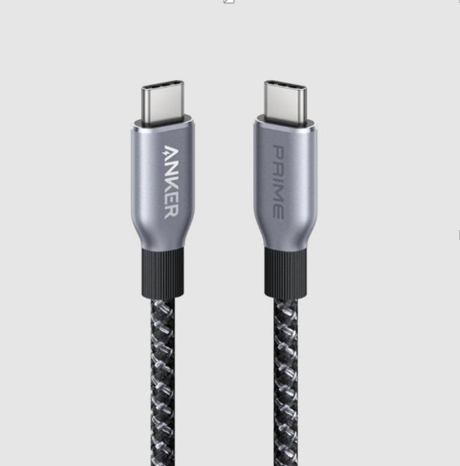
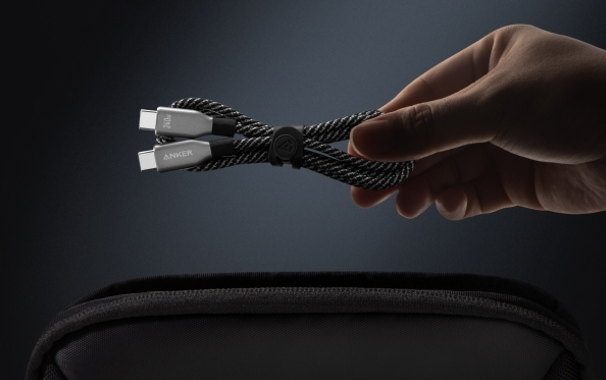
Certified cables undergo strict testing to ensure they deliver power safely and efficiently across compatible devices. These cables tend to have stronger materials, more stable connectors, and reliable power handling, reducing issues like overheating or slow charging. Generic alternatives may work in the short term but often lack the durability and precision needed for long-term use. Investing in a reputable option, such as an Anker USB Cable, provides greater confidence in both safety and performance. Choosing certified accessories ultimately helps protect your devices while keeping charging speeds consistently high.
Maintaining Your Cables for Optimal Performance
The way you handle and store your cables plays a large role in how long they maintain their performance. Avoid bending the cable sharply or pulling it from the connector, as this strains the internal wires and weakens connection points. Storing cables loosely coiled, rather than tightly wrapped, prevents stress that can lead to breakage. Keeping them away from moisture and heavy objects reduces the risk of accidental damage. With careful handling, even frequently used cables can remain dependable for years.
Conclusion
A USB cable may seem simple, but it plays a crucial role in how efficiently your devices charge day after day. Understanding cable quality, specifications, and proper maintenance empowers you to choose accessories that support fast, stable charging. By staying attentive to signs of wear and selecting well-built options, you can improve your charging experience with minimal effort. A reliable cable ensures that your devices receive the power they need without unnecessary delays. With smart choices and good care, your cable will never hold your charging speed back.